
What
Lizaro Mobile App for iOS & Android
The Lizaro app is a 18 MB native-feel client built on top of a Progressive Web App shell. It loads in under two seconds on a 4G connection, supports Face ID and fingerprint login, and keeps your last session cached so you can browse the lobby with patchy reception. Below is the exact install path for iPhone, Android and the desktop browser version - no waiting on App Store moderation, no fake APK mirrors.
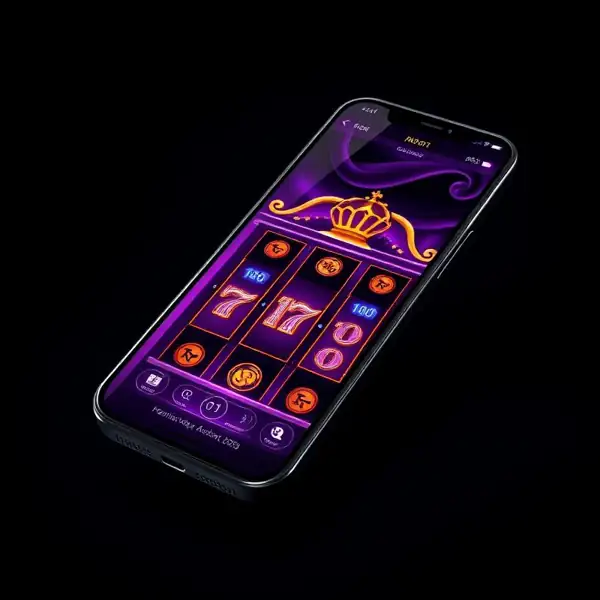
What you actually get in the app
1.8 second cold start
Three times faster than the desktop site. We pre-cache the lobby manifest on first launch.
TLS 1.3 + certificate pinning
Even on a hostile WiFi the app refuses to talk to a man-in-the-middle proxy.
Bonus expiry push
One push 6 hours before any free spin or bonus expires. Off by default - opt in once.
Face ID & fingerprint
Replace the 14-character password with a half-second look at the camera.
Offline lobby
Browse cached game tiles without signal. Spinning requires connection - obviously.
Dark mode by default
OLED-friendly true black, drops phone power draw by ~12% during long sessions.
Install on iPhone & iPad (iOS 16+)
- 1
Open Safari
Use Safari, not Chrome - only Safari can save the app icon to your Home Screen on iOS.
- 2
Visit lizaro.app
Type the address bar manually. Avoid pop-up redirects from social media - they often point to copycat domains.
- 3
Tap Share, then Add to Home Screen
The square-with-arrow icon at the bottom. Scroll the share sheet, pick Add to Home Screen, confirm the name Lizaro.
- 4
Launch from icon
The app opens fullscreen, no Safari chrome, no address bar. First load fetches 4 MB of assets - subsequent launches use the cache.
- 5
Enable Face ID (optional)
Settings > Security > Biometric login. Face ID replaces password entry on every launch.
Install on Android (Android 9+)
- 1
Open Chrome
Chrome 100+ or any Chromium browser (Edge, Brave, Samsung Internet) supports the install banner.
- 2
Visit lizaro.app
A blue Install Lizaro banner appears at the bottom within 5 seconds. If it does not, open the three-dot menu and pick Install app.
- 3
Confirm install
Android writes a 14 MB shortcut to your launcher. The app lives next to native apps and shows in the recent apps switcher.
- 4
Allow notifications
Optional. Used only for cashout-ready alerts and bonus expiry. We never send marketing spam to push channels.
- 5
Enable fingerprint
Settings > Security > Use device biometrics. Works with Face Unlock too on Pixel 7 and newer.
Use in the browser (no install)
Bookmark the URL
If you do not want a Home Screen icon, simply bookmark lizaro.app. The PWA features (offline lobby, push) will not work, but the casino loads normally.
Sign in with email
Same credentials across web and app. Sessions are not shared - log in once per device.
Switch back any time
You can install the app later without losing wallet history or KYC progress.
Technical specifications
| App size (iOS) | 18 MB |
| App size (Android) | 14 MB |
| Min iOS | 16.0 |
| Min Android | 9.0 (Pie) |
| Cold start | 1.8 s on 4G |
| Languages | EN, DE, NL |
| Offline mode | Lobby + history |
| Push notifications | Optional |
| Biometric login | Face ID, Touch ID, Fingerprint |
| Encryption | TLS 1.3 + AES-256 at rest |
| Update size | ~400 KB delta |
App vs mobile site - what is different
| Feature | Mobile App | Mobile Web |
|---|---|---|
| Cold start time | 1.8 s | 5.4 s |
| Push notifications | Yes | No |
| Face ID / fingerprint | Yes | No |
| Offline lobby | Yes | No |
| Auto-update | Background | Refresh page |
| Storage footprint | 14-18 MB | 0 MB |
| KYC upload | Camera direct | Camera direct |
| Live chat support | In-app | In-app |
If something does not work
Frequently asked questions
Reviewed by our UK desk for English speakers. Install steps were re-tested on iOS 17.5 and Android 14 in April 2026.
Related pages
Lizaro - Install the Lizaro app on iPhone or Android in 90 seconds (April 2026 guide): biometric login, 1.8 s cold start, offline lobby and 14-18 MB footprint.